
We know how difficult it can be to keep track of all your admin, especially when it comes to your stock. That's why we've made it easy to add and manage in Treatwell Connect. Take a look at this article to find out how.
How can I add a product in Connect?
Adding products in Connect is important to manage you stock quantities, manage your suppliers and know when you might need to make an order. From the 'Products' section, you can see which products you use, their price, supplier, VAT, and how many you have left of each. To add a product, follow the steps below:
Go to 'Products' in the top navigation bar in Connect
On the left-hand side, select 'Products' and click '+ Add new'
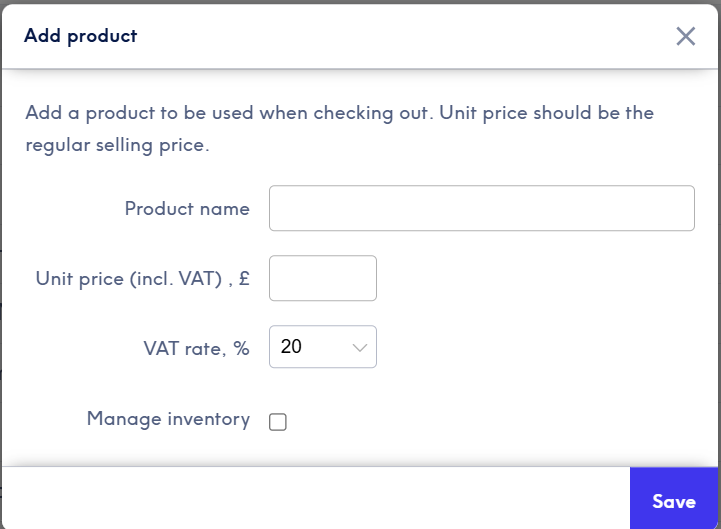
Enter the product name, VAT rate (if applicable), and unit price
Click 'Save'
This product can now be assigned to a supplier
How can I manage my inventory of products?
You can also track your inventory by clicking on the product and selecting 'Manage inventory' and entering the amount you have in stock.
This automatically updates if you ever add a product to a service, and lets you log products sold so you always end the day with an accurate account of your earnings.
What else do I need to know about the 'Products' section to manage my stock effectively?
In case you want to find out more about how to link your suppliers to your products, take a look here.
In case you need to make a product order, take a look here to find out how.
Was this article helpful?