
If you want to make the most of your Treatwell partnership, you’ll want to make sure you’re adding all of your spontaneous or walk-in appointments to Treatwell Connect. And we don’t just mean their names – but their details (like email addresses or phone numbers), too.
Why should I add my walk-in appointments to Connect?
Adding your walk-in appointments to Connect is the easiest way for us to recognise these clients as loyal customers if they ever book through Treatwell in the future (meaning their bookings are commission-free).
It also means you can send your direct customers various emails, to help them stay up to date on their bookings and much more:
Emails confirming and reminding your clients about their bookings – so they won't forget, and you'll see fewer no-shows
Invites to rebook so that you can get more repeats
Invites to leave you a review following their treatment
Of course, whenever you add your direct appointments to Connect, you won't be charged any commission or fees. And, with an up-to-date client list, you get a lot more value from Treatwell.
So, you get to spend more time doing what you love, while we’re actively working to fill your days with great clients!
How do I add my walk-in appointments to Connect?
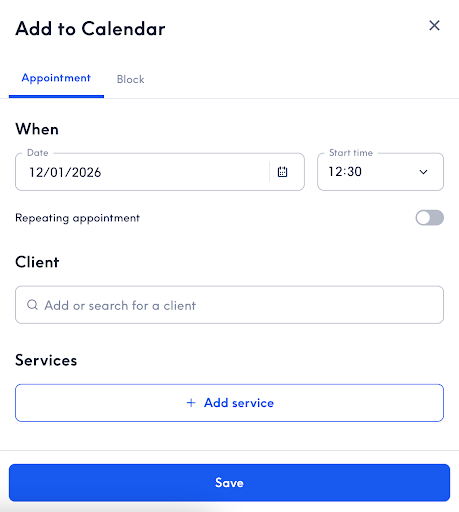
When you have a new booking, click on any empty space in your calendar.
In the box that opens, set the date and starting time for the appointment.
Click on the search bar to search an existing customer or add a new one.
Select which treatment they’re having.
Click ‘Save’.
⚠️ Please note that to enable customers to receive communication emails, you will need to activate this from the 'Marketing' section in Connect. You can find all the information you need to do this here.
Was this article helpful?