
The 'Client Frequency' analysis can be accessed from the 'Managers' section of the side menu, following the path Clients Report → Client Frequency → See Report.
At the top of the page are the items Period and Sector, which allow you to filter the data to be analysed:

Through the Period filter you can:
choose the reference period of time to be analysed;
compare it with other periods;
include proposals.
Using the drop-down menu Sector, data are filtered according to the area of activity of the salon.
With the 'Add Filter' button under 'Period', it is also possible to further restrict the analysis by setting more parameters, including the age, sex or profession of the client, the amount spent, the type of service performed, etc…. There are 20 filters currently available.
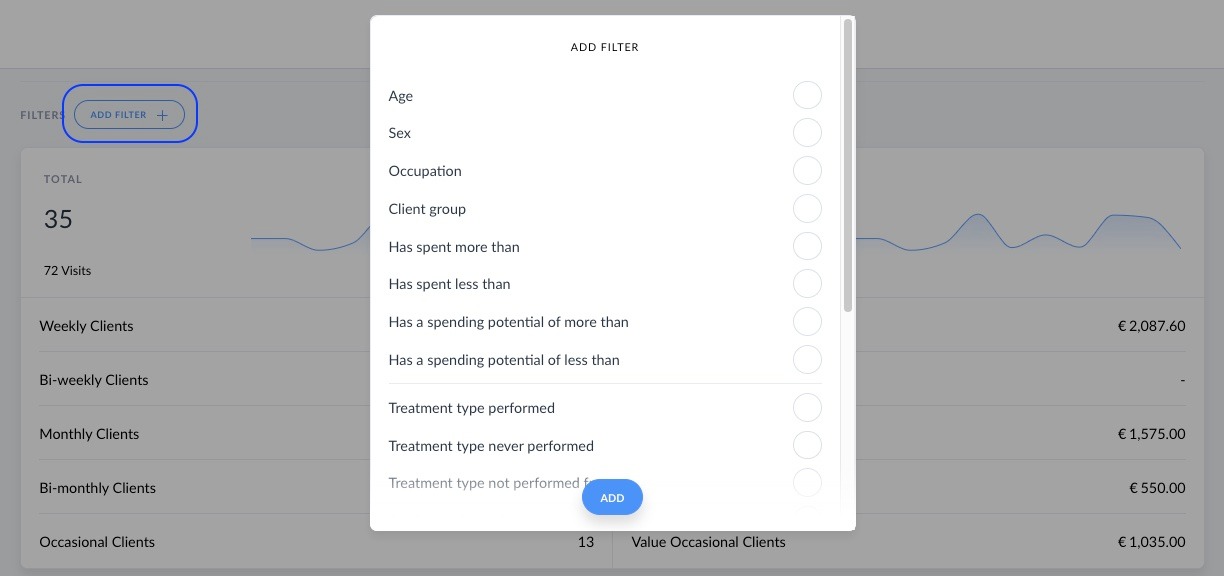
Main Panel
The first table on the page provides an overview of client frequency, through the Total and Average spend columns.
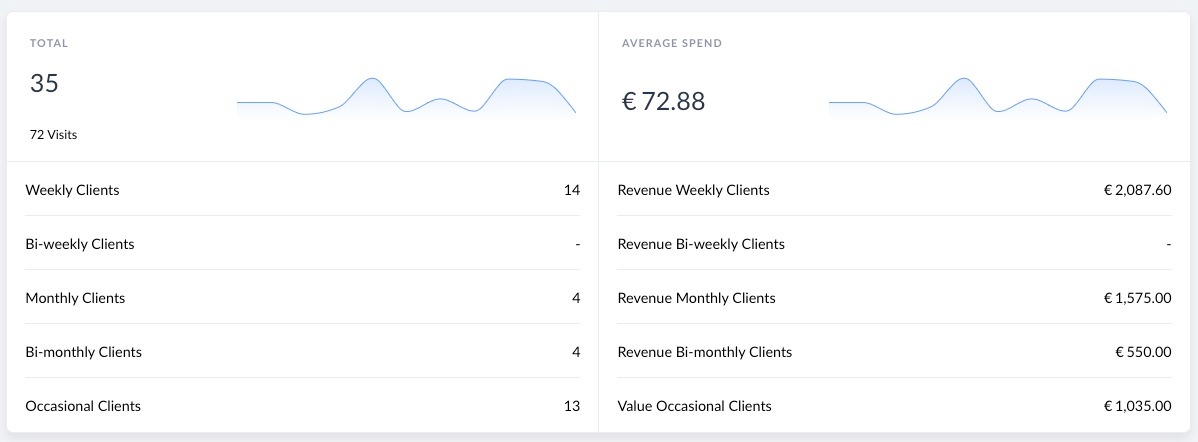
Total: the total number of clients in the reference period
Visits: the number of passages made in the reference period;
Clients: the number of weekly, bi-weekly, monthly, bi-monthly and occasional clients. These data give a clearer idea of customer constancy and loyalty.
Average spend: the average amount spent per appointment by clients according to their frequency of visits to the salon (weekly, bi-weekly, monthly, bi-monthly and occasional).
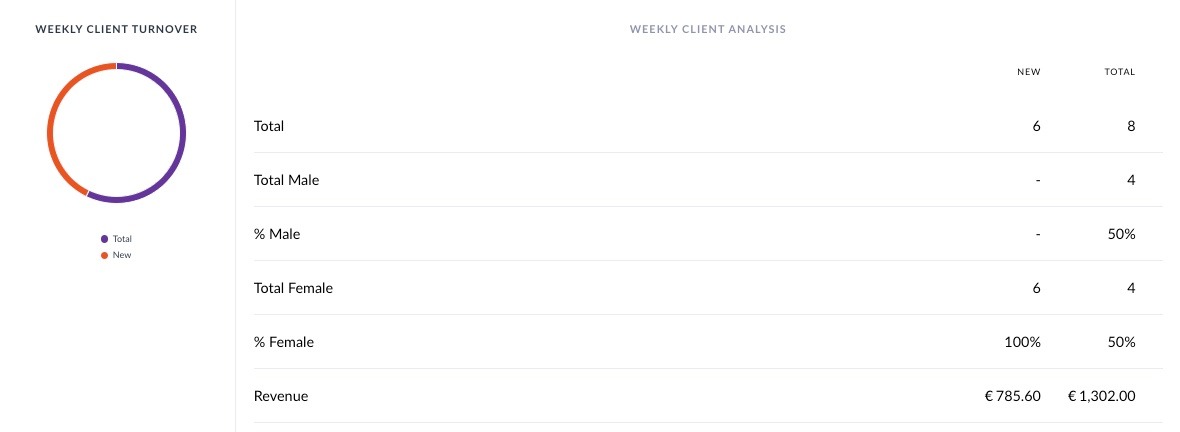
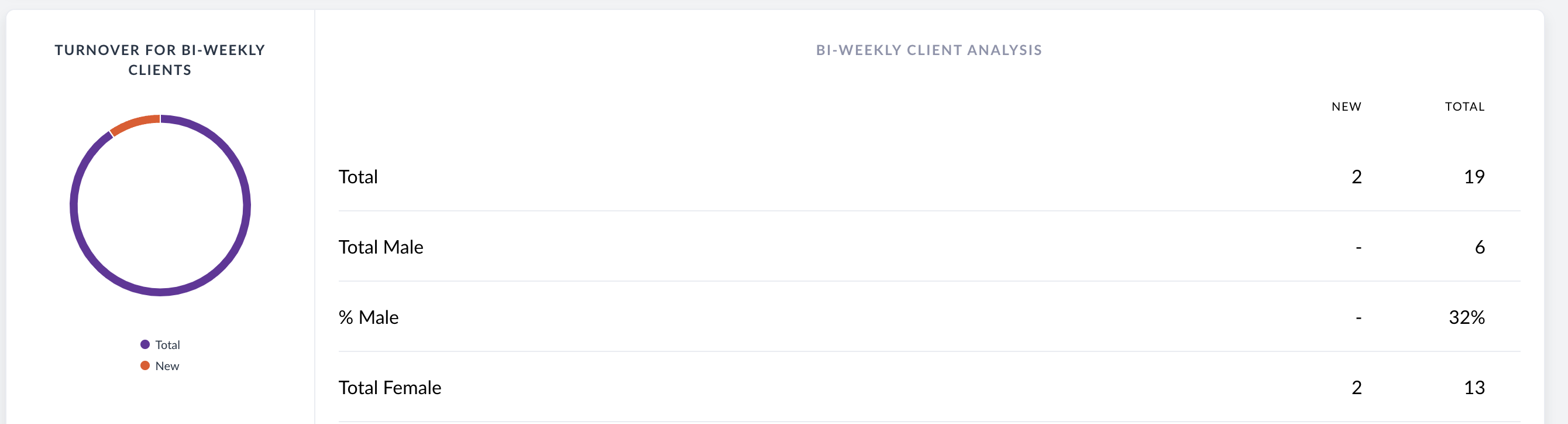
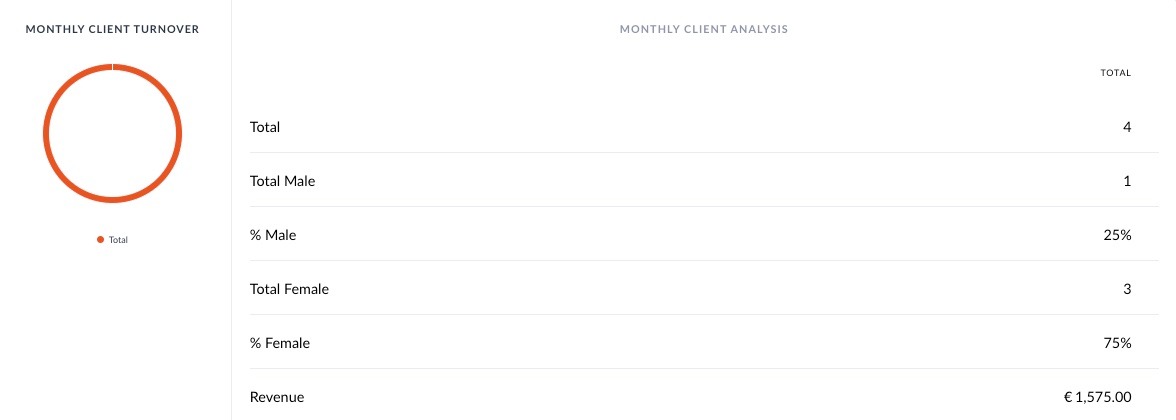
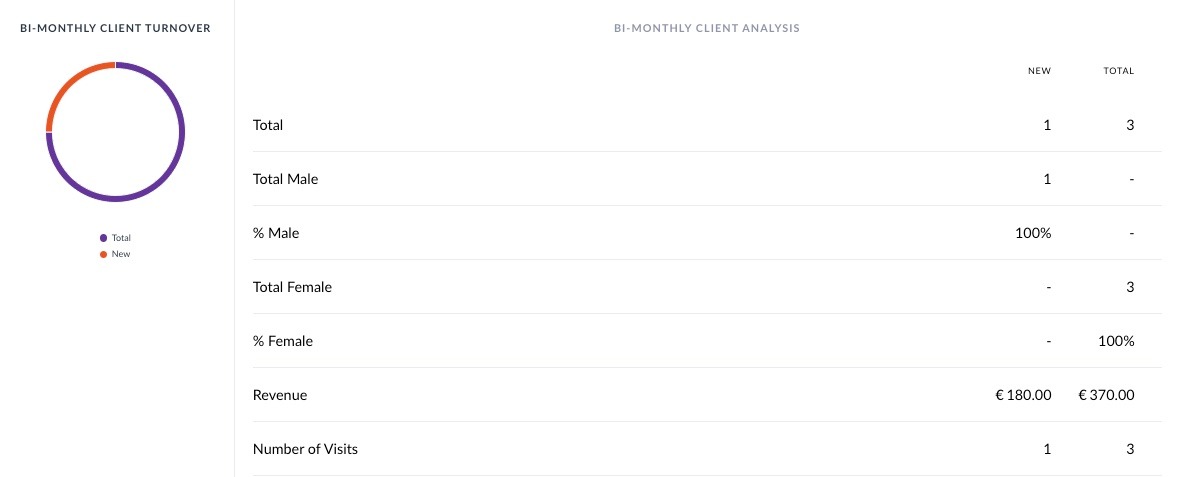
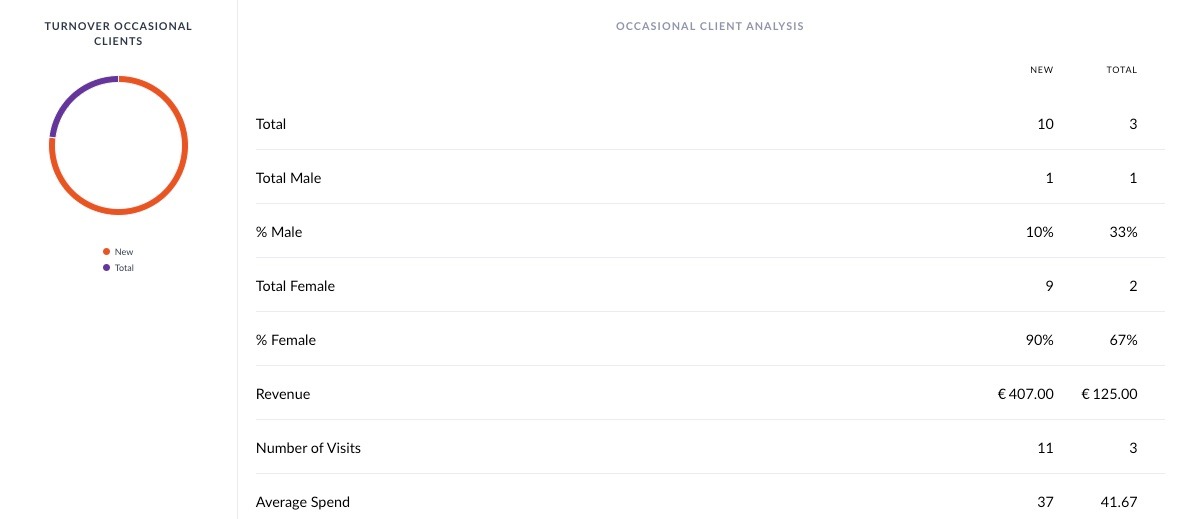
In the following boxes, the data on client frequency are analysed in more detail, providing information on turnover, differences between gender, between new and repeat clients, etc.
Weekly
Bi-weekly
Monthly
Bi-monthly
Occasional
Was this article helpful?