
We know admin can be a headache, and you may be receiving notifications to complete your Stripe Connect verification. Treatwell is constantly working to make its services more secure, both for customer and partner data, and for incoming and outgoing payments made through our platforms. Thanks to a recent partnership with Stripe, a leading online payment company, an additional layer of protection against identity theft, fraud, and other malicious activity has been introduced. Take a look at the article below to find out all you need to know.
What is Stripe Connect (or KYC) verification?
KYC or 'Know Your Customer' is a new compliancy regulation which requires our salon partners to provide specific business details and information, this is to ensure compliancy with EU laws.
You can complete your KYC verification via the Stripe Connect verification process, provided by our partners Stripe, you can find this within your Treatwell Connect account when you sign up.
Why do I need to complete my Stripe Connect (or KYC) verification?
Completing the KYC process means enhanced security, as identity verification, similar to what occurs during in-person interactions, is now applied online. As more businesses move online and no longer interact with customers face-to-face, Stripe Identity helps confirm that you are who you claim to be, ensuring a secure and trustworthy environment for all.
In order for you to complete your sign up process with Treatwell, and start using Treatwell Connect and receive bookings from the Treatwell Marketplace, we require you to fill this information out.
Much of this information is also required for DAC7/DRR requirements, therefore will help the reporting process later on - you can find more information on this here
How can I complete my Stripe Connect (or KYC) verification?
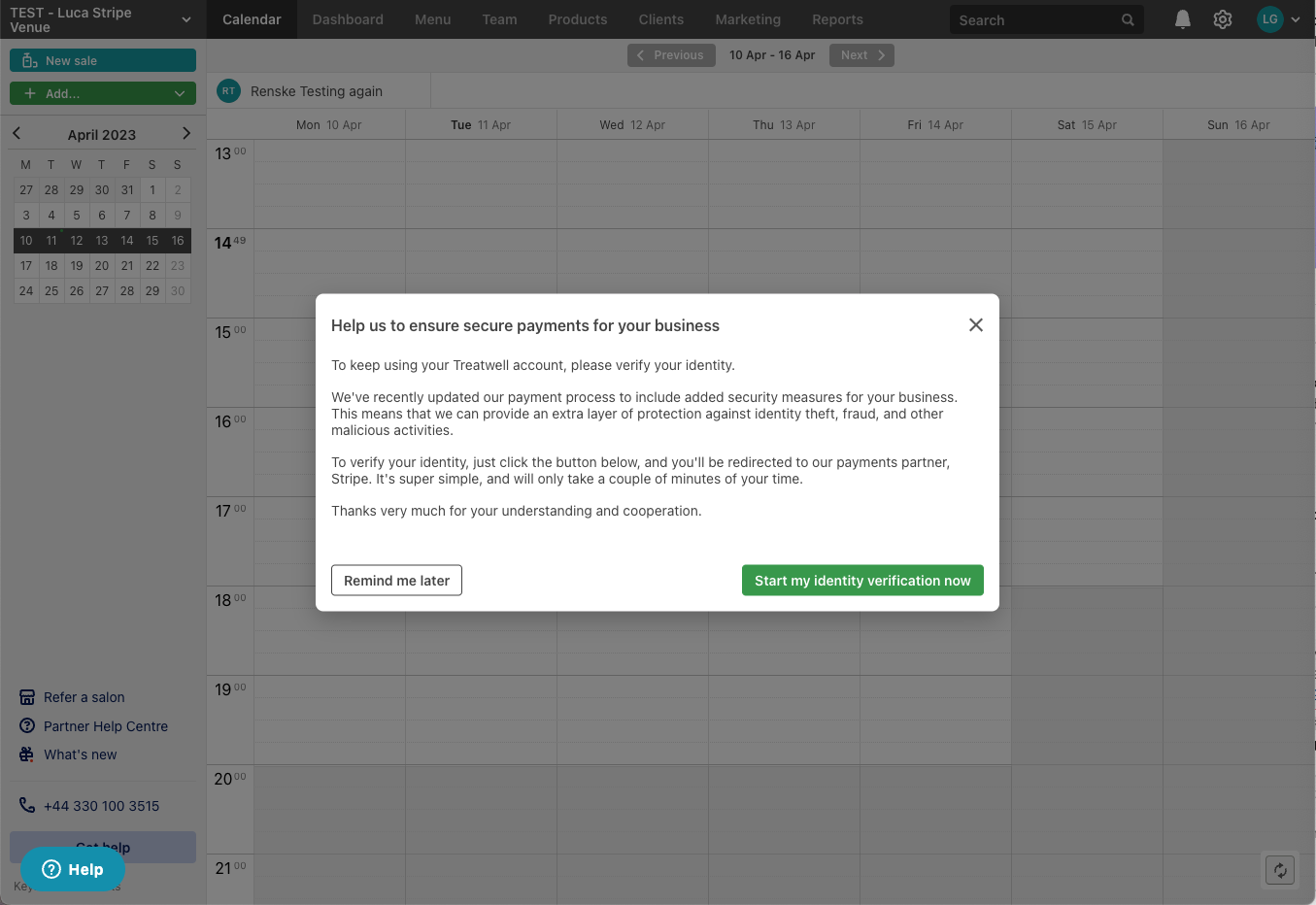
First, click on the 'Verify my identity now' button on the pop-up window that will appear within the management system. You will then be redirected to the Stripe site to register your data;
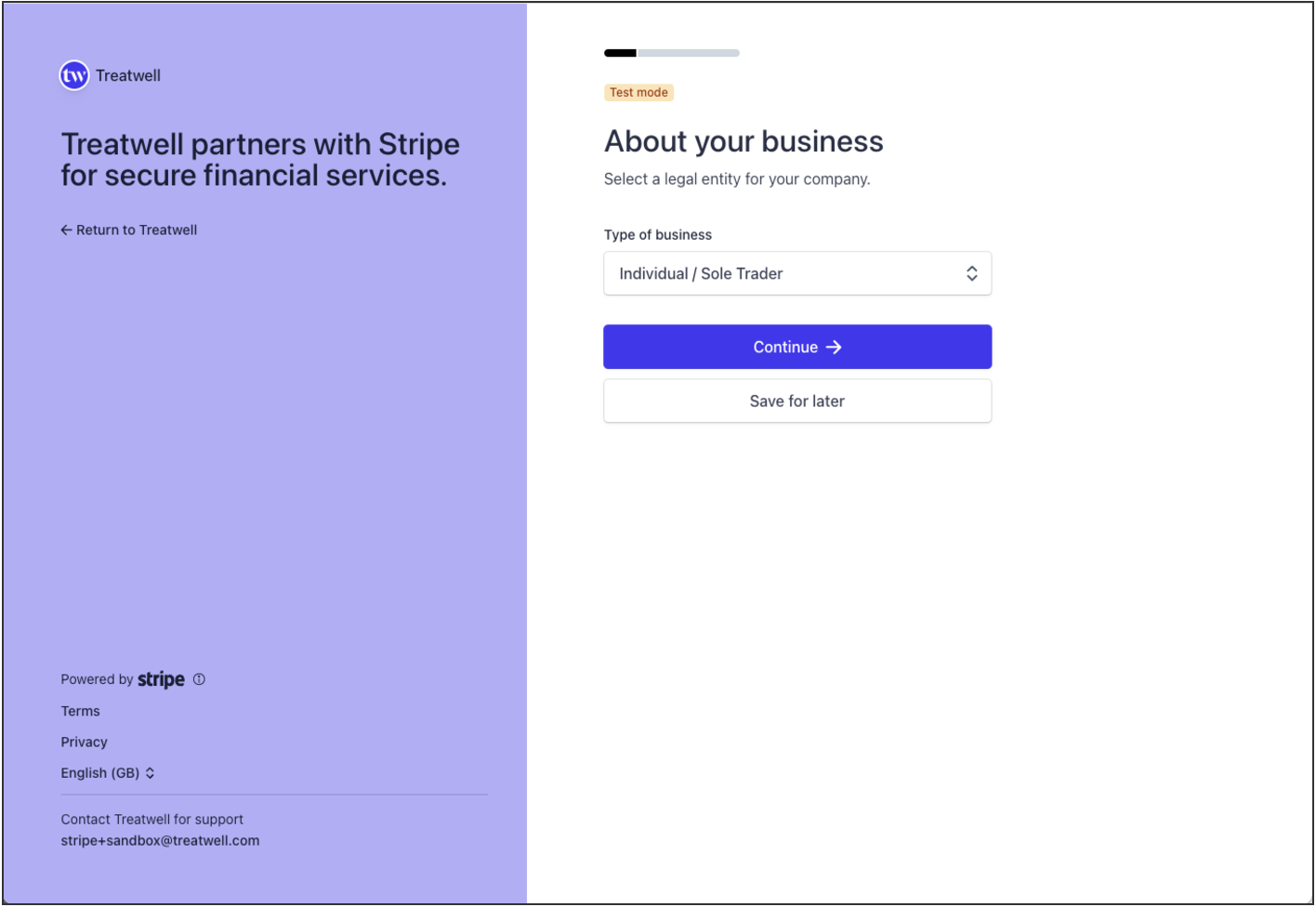
On the registration page, indicate your company type and click on 'Continue';
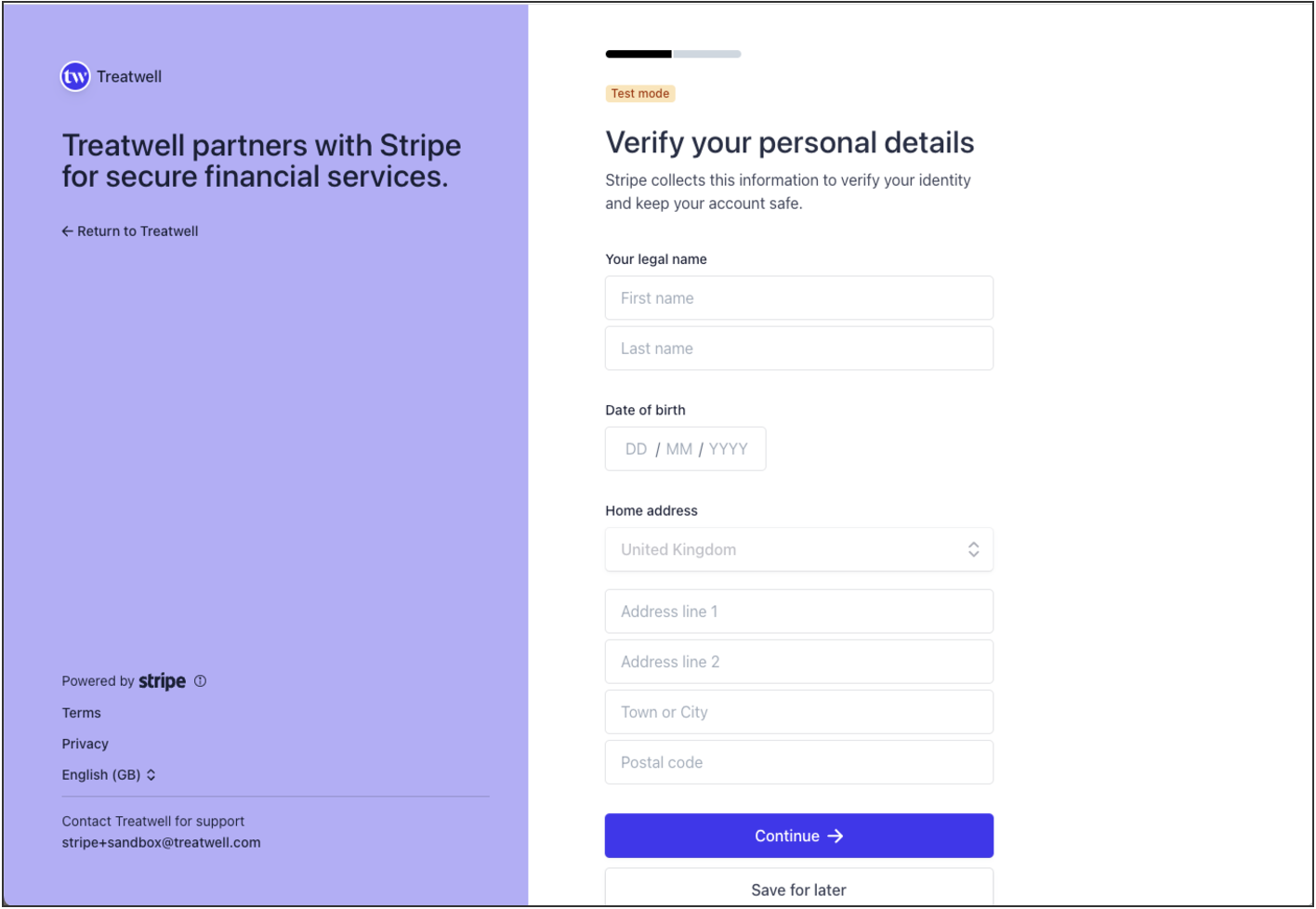
The next screen contains a form to be filled in (each field is mandatory and necessary to continue). Once you have entered all the required information, click on 'Continue'.
The last step will display all of the information previously entered. If there are any errors in the data entered, corrections can be made before confirmation by clicking on the pencil icon in the two boxes.
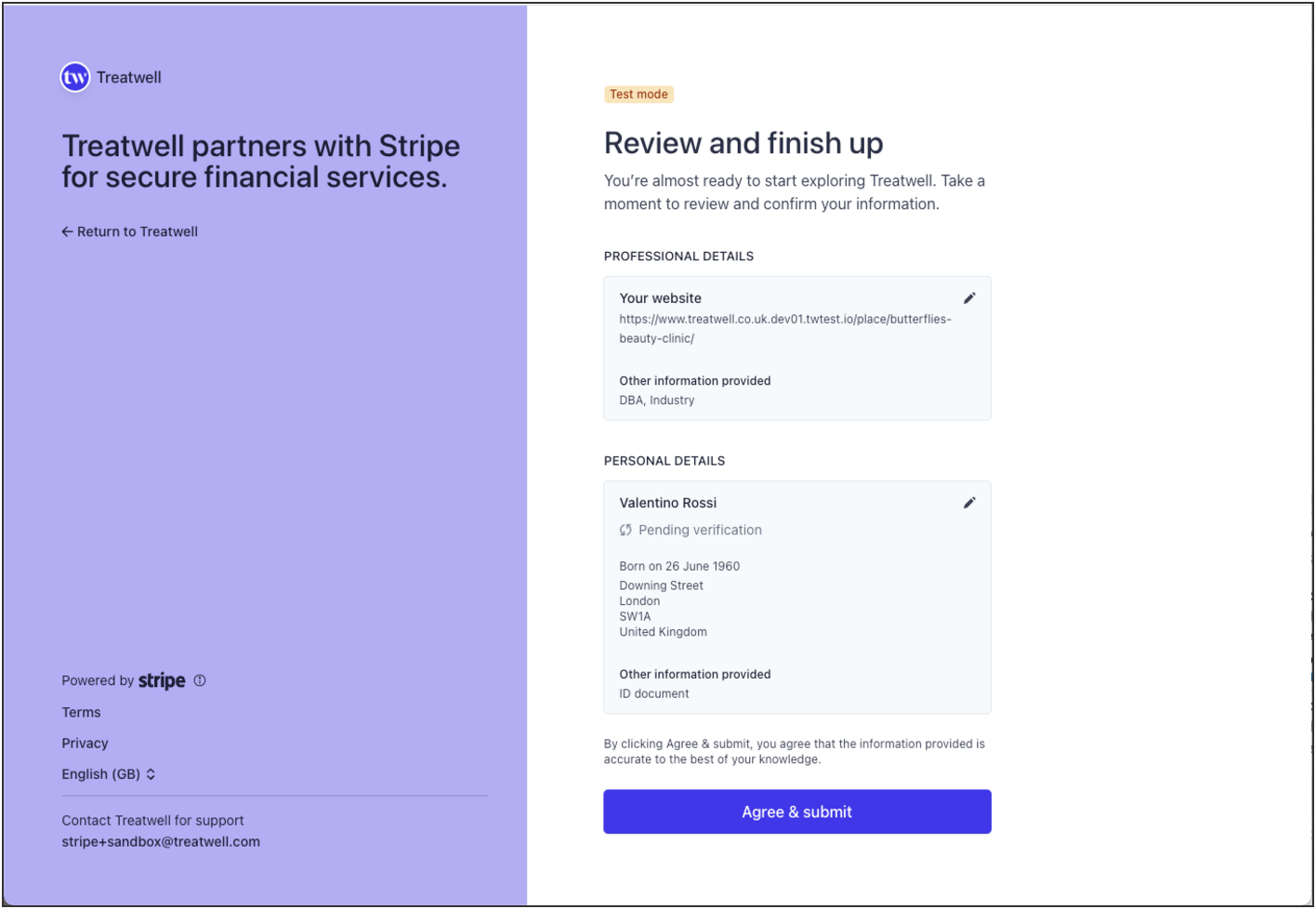
If the data is correct, click on the 'Agree & Submit' button to confirm and complete the verification.
Please note: If you do not have all the information available during the procedure, you can click on the 'Save for later' button and complete the check at a later date. Information already entered will be saved automatically.
Why am I no longer receiving payments if I haven't completed my Stripe Connect (or KYC) verification?
Following the recently announced update regarding PSD2 compliance and to ensure compliance with the current regulations, Treatwell will be withholding payments and stopping payouts for Treatwell partners who did not complete the Know-Your-Customers (KYC) process.
Was this article helpful?