
We would always recommend that you download the Treatwell Connect App to manage your appointments on the go. This article will show you how to ensure you have everything set up correctly.
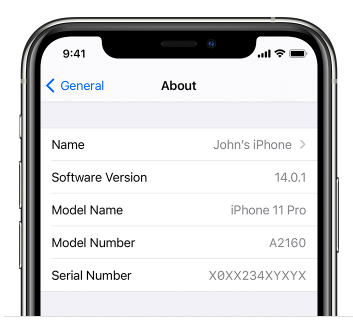
How do I find out my iPad model name?
The iPad model name can be found by going to Settings > General > About.
How do I find out my iPad's iOS version?
The iOS version can be found via the iPad’s ‘Settings’. Choose ‘General’ and then ‘Software Update’ to have the iOS version displayed (e.g., ‘iOS 11.3.1’). If there’s an update available, install it.
How do I find out my Connect iOS app version on my iPad?
The app version of our Connect iOS app is displayed within the app. In calendar view click the name of your salon on the top left side and then ‘About’, almost at the very bottom of that menu. The version is placed right under the green ‘Treatwell Connect’ line (e.g., Version ‘4.16.1 (23010683)’).
Was this article helpful?