
If a client wants to come in for their appointment regularly – say, every few weeks or every couple of months – then you may want to add a recurring appointment to your Treatwell Connect calendar.
How can I make an appointment recurring?
Adding a recurring appointment is simple; just follow the steps below:
Start adding an appointment as you normally would, in your Treatwell Connect calendar.
You’ll see the 'Repeat' button at the bottom – click that for more settings to appear.
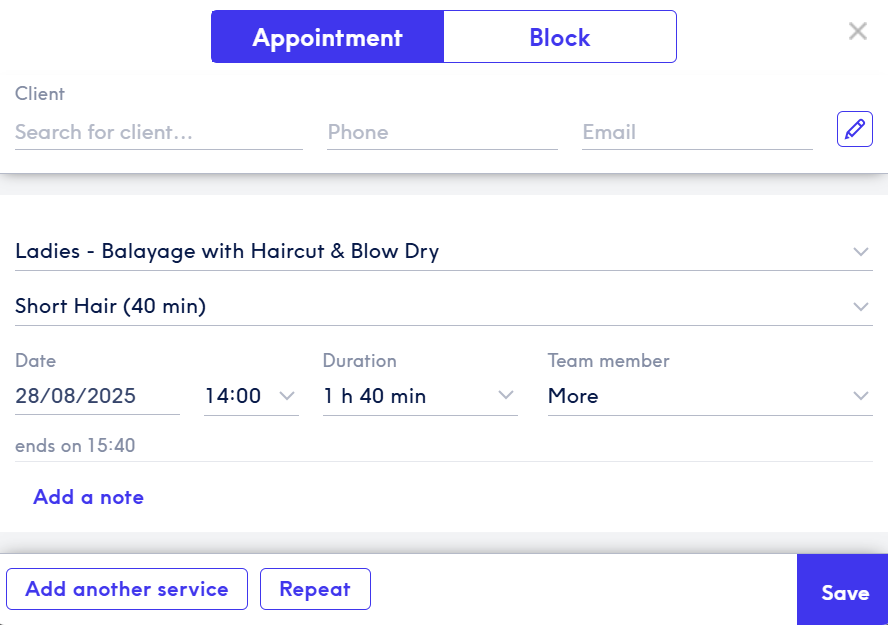
Choose how often your client wants to repeat their appointment by clicking on the down arrow.
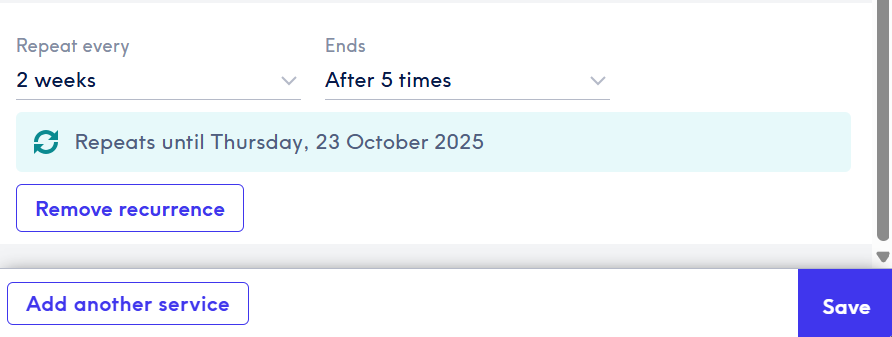
Now choose when you want this recurrence to end (this will be the number of appointments your client wants to book).
You’ll also see the date this recurrence ends so you can plan ahead.
Now save your new recurring appointment, and you’re all done!
The appointment will be added to your calendar as many times as you’ve set it to repeat, for the same day of the week and time.
How can I edit a recurring appointment?
Editing recurring appointments is easy – please note, however, you can only edit one appointment at a time. If you need to edit more than one of the recurring appointments, this will not be done automatically; you will need to edit those, too. Here's how:
Click on the recurring appointment you want to edit
Make your changes, then remember to save.
Your changes will only apply to the appointment you’ve edited, not the whole series.
How can I cancel recurring appointments?
If a client gets in touch to cancel one of their recurring appointments, just open it in your calendar and cancel it as you normally would. Their future recurring appointments won't be affected.
If you also want to cancel all future recurring appointments, then follow the steps below:
When going through the cancellation in Connect, a pop-up window will appear.
Tick ‘Also cancel all future recurring appointments’ in that pop-up window, then 'Cancel appointment'.
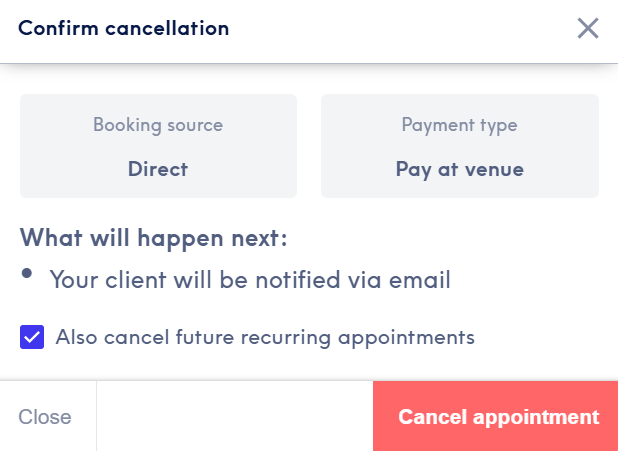
This will cancel the appointment you first opened and all future recurring appointments.
How can I receive payment for recurring appointments?
Recurring appointments can only be paid for at the venue (can’t be prepaid).
This means your client will need to pay for each appointment individually when they come in for their visit.
How do booking confirmations and reminders work for recurring appointments?
As long as you have your appointment reminders activated (more info here) with recurring appointments, your client will receive a booking confirmation email just as they normally would (just be sure to add their contact details for this to be sent).
They’ll only receive it once to confirm their appointment has been booked, not before every recurring appointment.
They will, however, receive a booking reminder before each recurring appointment to protect you from no-shows.
Was this article helpful?