
We’ve developed Treatwell Connect to be available in over fifteen different languages, so you and your team can view and manage Treatwell Connect in the language that is most comfortable for you.
How can I change the language in my Treatwell Connect?
To change the language that Connect displays in:
Login to Connect
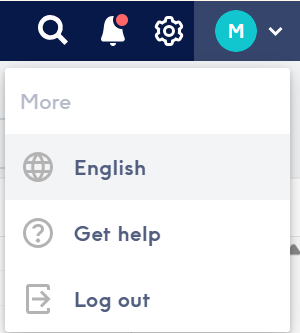
In the top right corner, click your avatar (this will be your picture if you have one, and if not, the first initial of your name)
In the drop-down, you’ll see the language that Connect is currently displayed in; click it
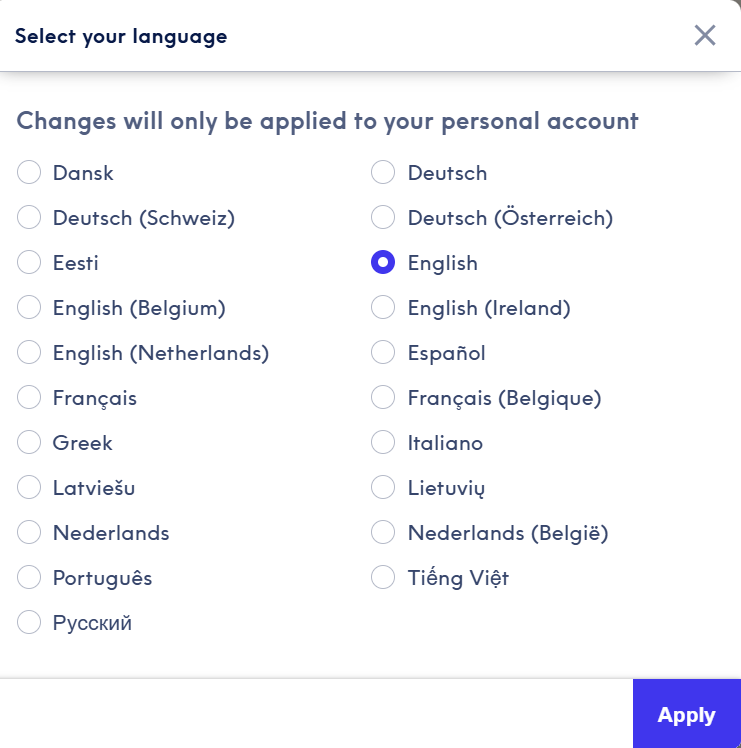
Select the new language
Click 'Apply
Was this article helpful?