
With Treatwell Connect, we try to make sure it's as easy for you as possible to get new bookings, especially for the services that you do best! Take a look at this article to find out how you can highlight your preferred services to boost your bookings.
What are the featured services, and why should I use them?
A featured service is a specific service you can choose to highlight on your menu. This can be a single service, a package, a special offer or simply your best seller.
You can select up to five featured services from your menu, and we always suggest ticking the full quota of five if possible.
Not only will they appear in their respective groups, they’ll also appear at the top of your menu on your Treatwell page under ‘Suggested services’.
These become the very first services a customer sees on your menu, so it’s important to pick the right services you want to feature. Featuring your best services is a great way to draw customers to them, letting them know exactly what you’re good at right from the start.
NOTE: You can only configure feature services on the Treatwell Connect web version.
How do I feature a service?
When you know which services you'd like to feature, navigate to your menu in Treatwell Connect (web), go to that item in your menu, and click to open the item details
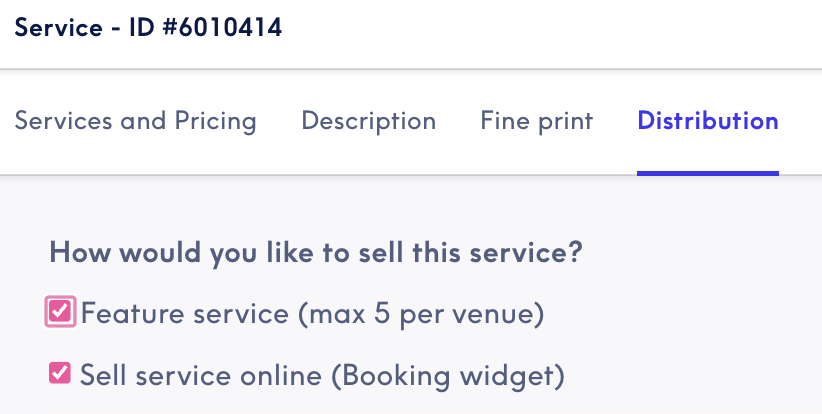
Go to the 'Distribution' tab
Tick the box next to 'Feature service', and click 'Save'.
Why can't I feature a service?
If you're unable to tick 'Feature service', it's probably because there are already five featured services in your menu (note – they could be in your archive). - You'll have to remove some first before featuring new ones.
How do I remove a featured service?
Go to your menu in Treatwell Connect (web) and click on the service you'd like to remove
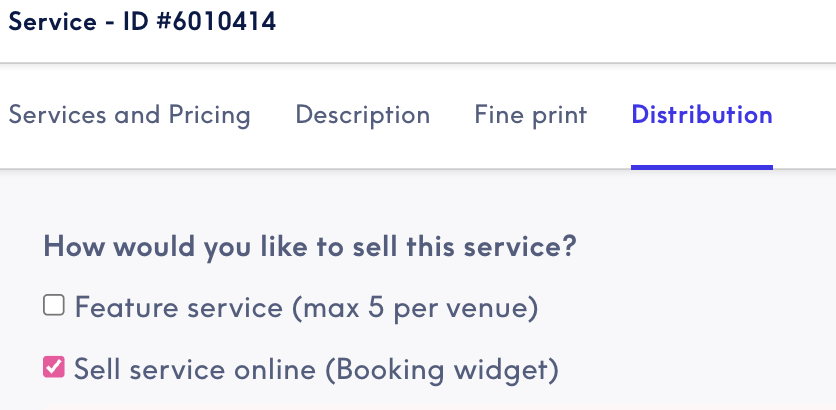
Go to the 'Distribution' tab
Untick the box next to 'Feature service' and click 'Save'.
If you want to remove a service that you've archived, you'll need to publish the service before following the steps above (and then archive it again).
Was this article helpful?