
We know that sometimes you have multiple team members who perform certain services, but you may only have seat availability for one treatment at a time. By using 'Resources' in Treatwell Connect, you can manage your service availability based on your seating availability, without having to block team members and stopping them from receiving other types of bookings. It's all automatic, we do it for you, so you don't have to! Find out how you can set up your resources below.
What are resources?
Setting up resources in Treatwell Connect allows you to manage the rooms and equipment in your salon so that you can avoid receiving more simultaneous bookings than you have the tools to provide, especially if you have more than one team member available who can provide those services.
For example, if you have 8 team members who can provide pedicures, but only 4 pedicure chairs, setting up these chairs as a resource means that only 4 customers could book a pedicure service to take place at the same date and time, even if all team members are available.
The most popular resources that our partners add are pedicure chairs, nail bar stations, and other specialist equipment, such as laser hair removal machines or massage rooms.
How can I add a resource?
Head to Connect on a desktop
Open settings from the top right corner
Above your salon name, go to the tab for ‘Resources’
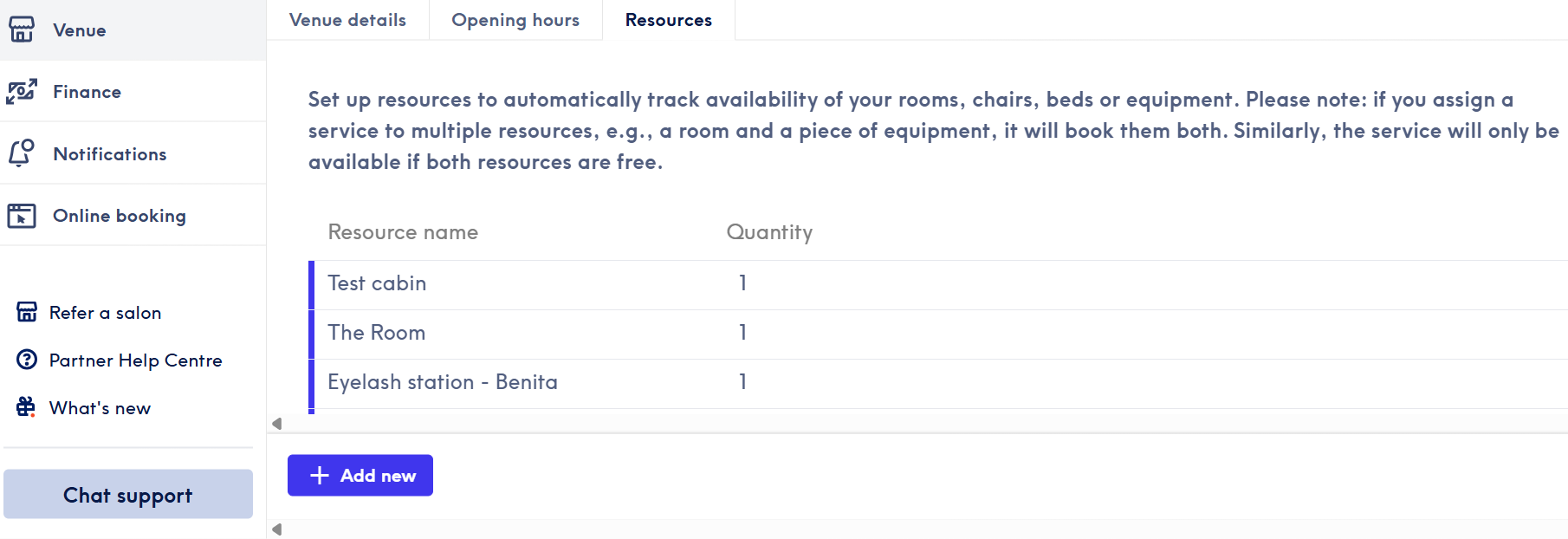
Click the blue '+ Add New' button
In the box that appears, name your resource. For the above example, let’s type ‘Pedicure Chairs’.
The quantity dictates how many of these pieces of equipment you have. In our example salon, that would be 4.
Now tick the box next to each of the services that require the equipment
Click save
Remember that if you assign a service to more than one resource, for example, a room and a piece of equipment, when a customer books that service, both resources will be in use, and no other customers can book either of the resources (whether separately or together). Similarly, the service will only be bookable if both resources are free.
How can I delete a resource?
Head to Connect on a desktop
Open settings from the top right corner
Above your salon name, go to the tab for 'Resources'
Click the resource you want to delete
Click 'Delete' in the bottom left corner
Was this article helpful?