
Keeping your menu up to date ensures that clients can easily find and book the treatments they want. Here's how you can remove and re-add services - or temporarily make them unbookable online.
What you'll find in this article:
How can I make my services temporarily unbookable online?
If you don’t want clients to be able to book a particular service online (due to Government restrictions, for example), then you can make it unbookable in a few steps:
Head to Treatwell Connect on a desktop
Click on the Menu
Find and open the service you want to edit
Click 'Distribution' in the top right corner
Untick 'Sell service' online
Remember to save your changes
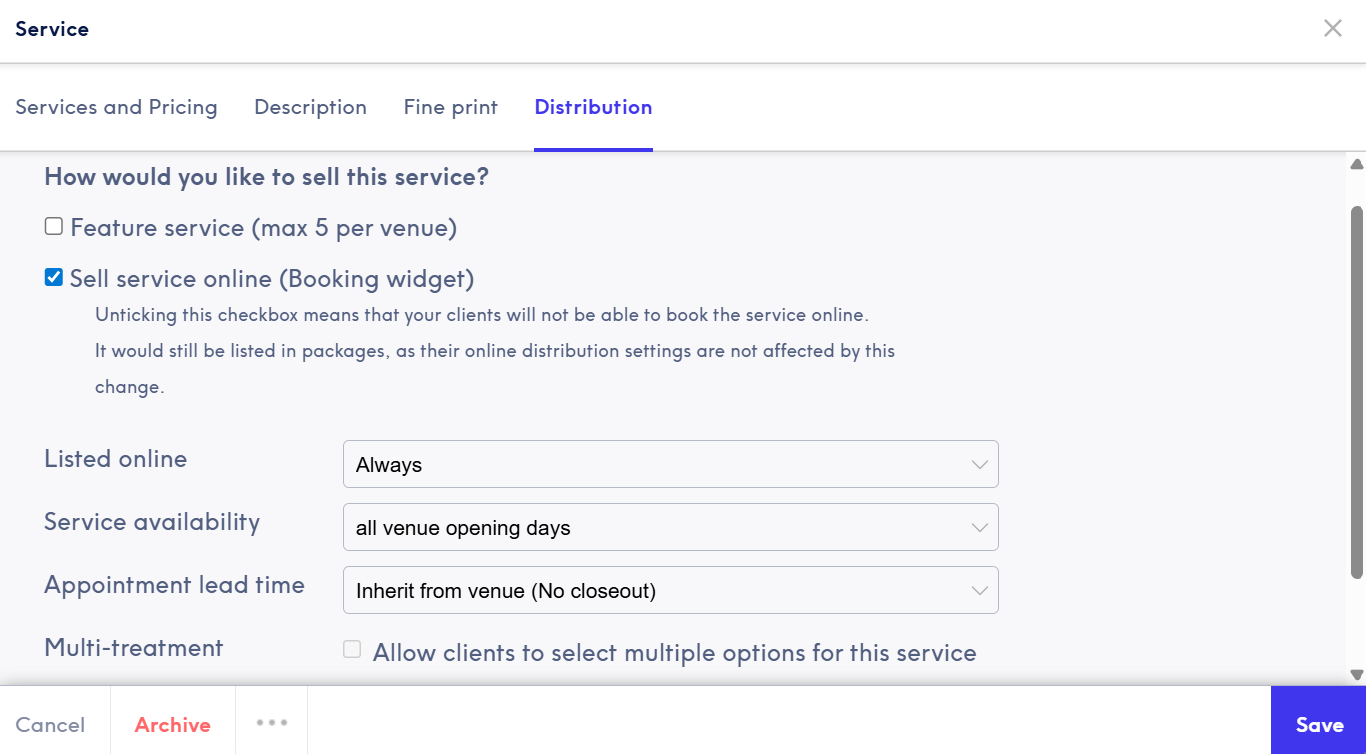
Unticking 'Sell service online' means clients will no longer be able to book it via the booking widget or via the Treatwell app/website. It will still be listed in packages.
Once you’re ready to sell the service online again, simply tick the box - and you're ready.
How can I remove a service from my menu?
You may also sometimes need to remove services that you no longer offer, which is quick and easy to do:
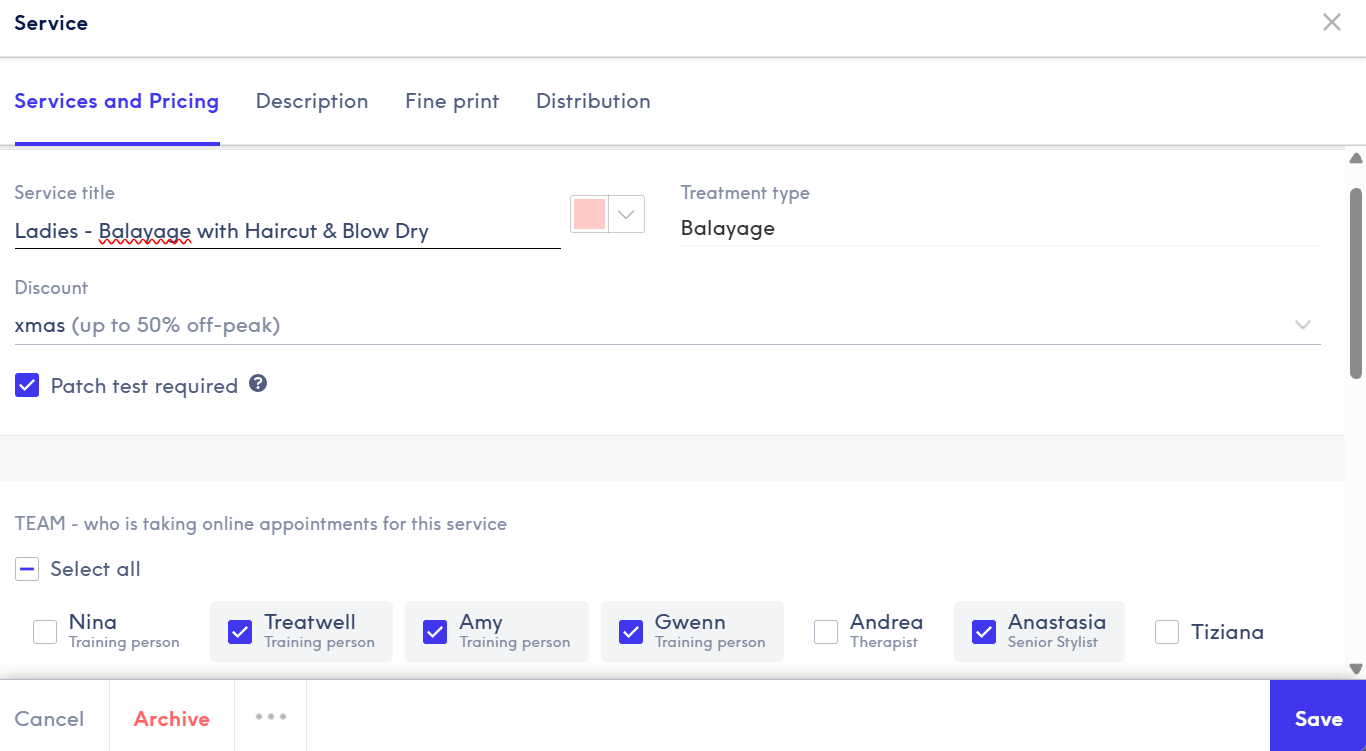
Go to your Menu in Connect and click on the service you want to remove
Then click on the three dots at the bottom of the service, and select ‘Archive’
The service will then move from your menu of active services into your archive. It will no longer be visible to customers.
You can have a look at your archive by clicking on the arrow next to ‘All active services’ in the top right corner of your menu. Just select ‘Archive’ from the dropdown menu.
How can I re-add a service to my menu?
If you want to move a service from the archive back into your live menu, simply head to the 'Menu' in Treatwell Connect on a desktop version.
Ensure that you are in the 'Archived' section or that your archived services are visible in Connect
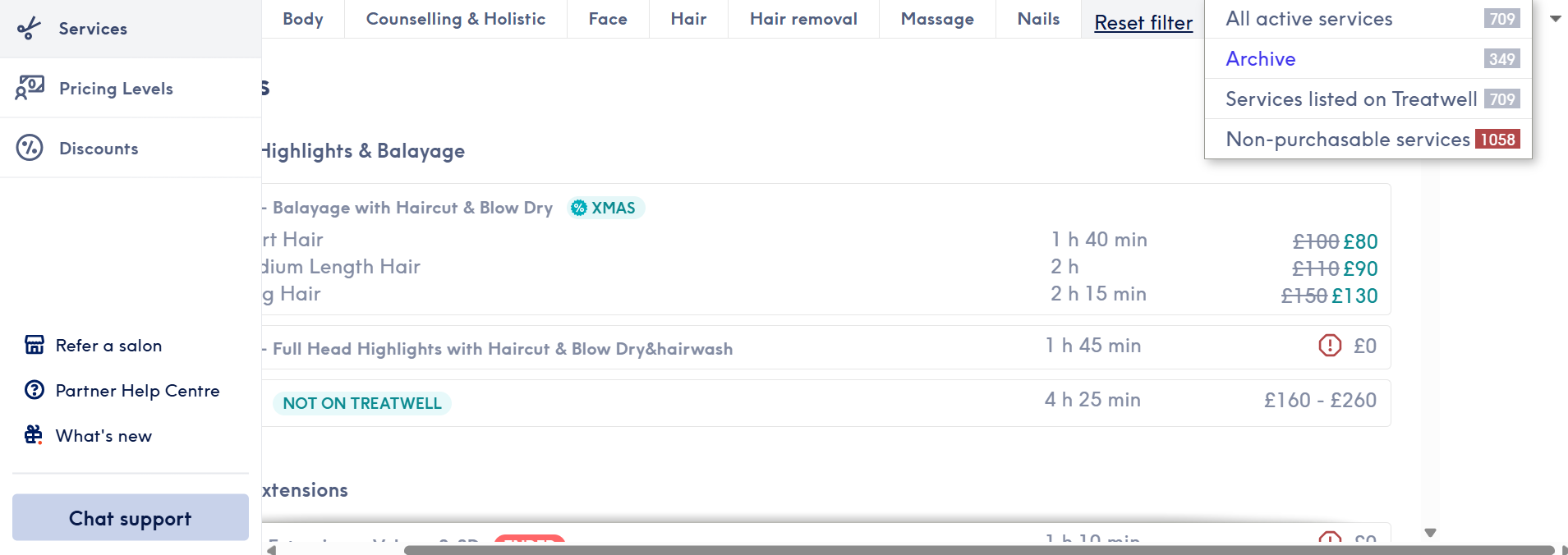
Click on the service, make any necessary changes, and then click on ‘Save & Publish’.
It's important to make sure at this point that the service is also assigned to any of your team members who can offer the service. If not, this service won't be bookable by your clients.
Was this article helpful?