
At Treatwell we know that sometimes you need to reach out to your customers with important information, or simply to send our marketing emails promoting your services. That's why we've made it easy to do from Treatwell Connect. Follow this article to check out the various options on how to send marketing emails to your customers.
How can I send marketing emails to promote my discounts?
Connect’s campaigns tool is a great way to stay on your clients’ radar by giving you various email promotions to send to clients. You can use this feature to contact and market to your clients, encouraging your existing clients to book in more often with you.
You can inform clients about smart discounts you’ve set up to push sales, fun seasonal messages (available only during holiday times) and encourage clients to rebook you (commission-free) via your client app.
Here's how you can use it:
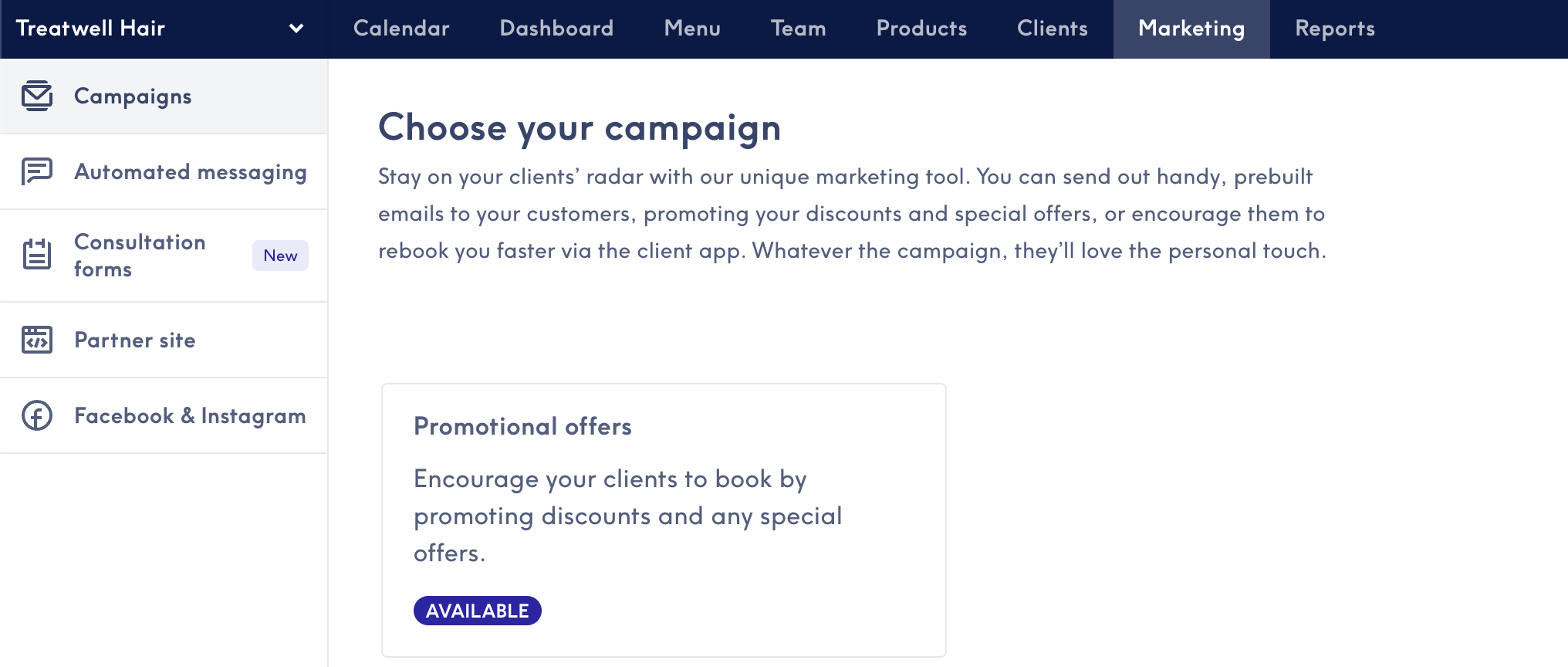
Just head to the marketing tab on Connect and choose the campaign you’d like to send.
From here, we provide you with a handy, prebuilt template (which you can tweak and adjust to your preference).
Who will receive the marketing emails I send from the 'Campaigns' section to promote my discounts?
Connect will send this email out to all clients who:
Have an email address
Have opted in to receive your marketing communications
Haven't received marketing info from your salon in the last 7 days.
Please note there is no way to filter these emails to specific groups; to do this, you can follow the steps here.
Top tip: read this article and learn the GDPR essentials of sending clients marketing emails
How can I send customised emails to my clients with important information?
Connect e-mail marketing (found under the 'Clients' tab) is the best way to stay in touch with your customers.
Simply go to the 'Clients' section and click 'Send an email'.
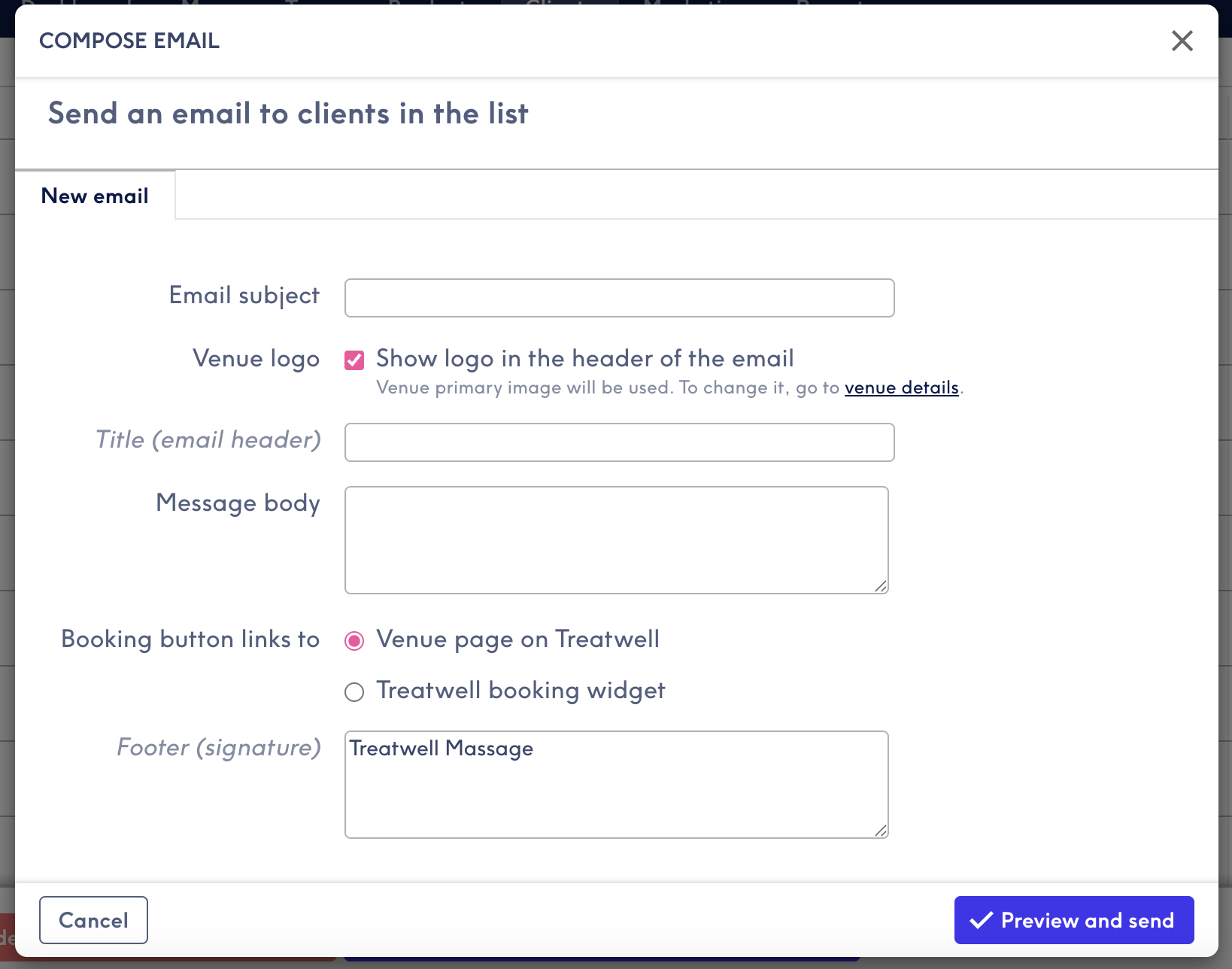
You can use Connect e-mail marketing to:
Let customers know about new treatments you're offering
Introduce new team members
Promote special offers or campaigns
Advise customers of important changes, such as salon address changes
This helps keep your clients engaged with your salon – and hopefully encourages them to book again.
How can I filter the marketing emails to send them to certain groups?
We’ve made it easy for you to target specific groups with tailored emails. From the 'Clients' section, simply use the filters in the top right-hand corner of the page. Once that's done, just scroll down to 'Send an email' and this will automatically send to the filtered group.
Of course, you can also send a message to your entire client database in one go.
Remember to receive your email, a customer must have consented to receive promotional content from you.
They also must not have received an email from you in the past 7 days.
Was this article helpful?