
Managing your photos has never been easier, just follow the steps below.
How can I upload my photos?
Log in to Treatwell Connect.
Navigate to 'Settings', then 'Venue', then 'Venue Details'
Scroll down to the Venue Photos section, after the Venue Name and Salon Type and start adding your photos.
You can either drag and drop your photos into the designated section, or you can add them through the Upload from your device button.
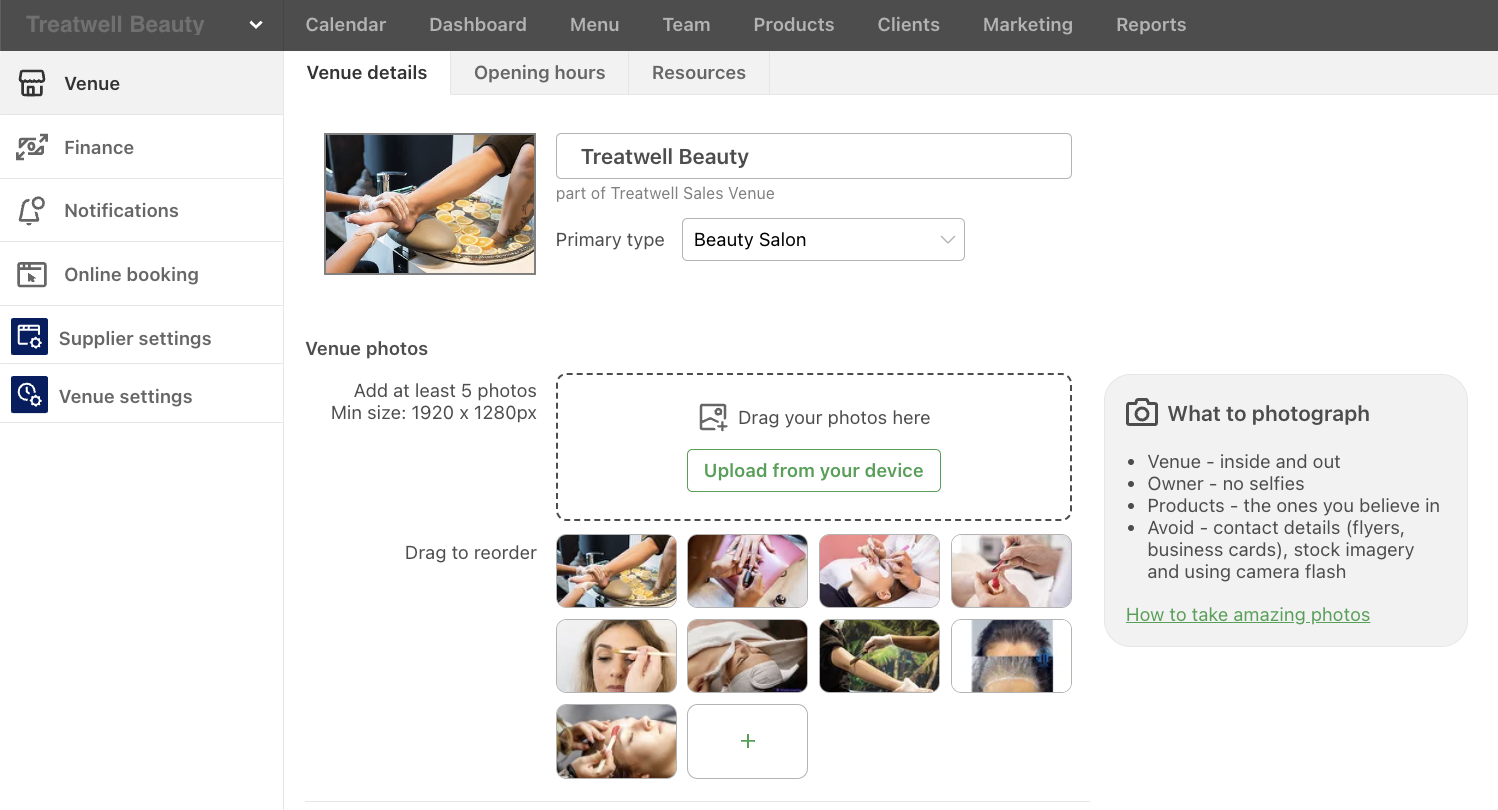
Once uploaded, you can drag the pictures to reorder them and crop them if needed!
The first picture will be listed in the Marketplace and will be the first impression customers have while searching for venues.
What kind of photos should I upload?
Check our detailed and easy-to-read guide we've prepared for you
You can download it for free in PDF format by clicking on the attachment at the bottom of this page.
Remember that treatment pictures should be uploaded in your portfolio, and not in the carrousel with your venue pictures. You can find out how to upload them in this article.
Was this article helpful?