
You can customise your AI receptionist at any time from the Your receptionist page, not only during the initial set-up.
Name and language
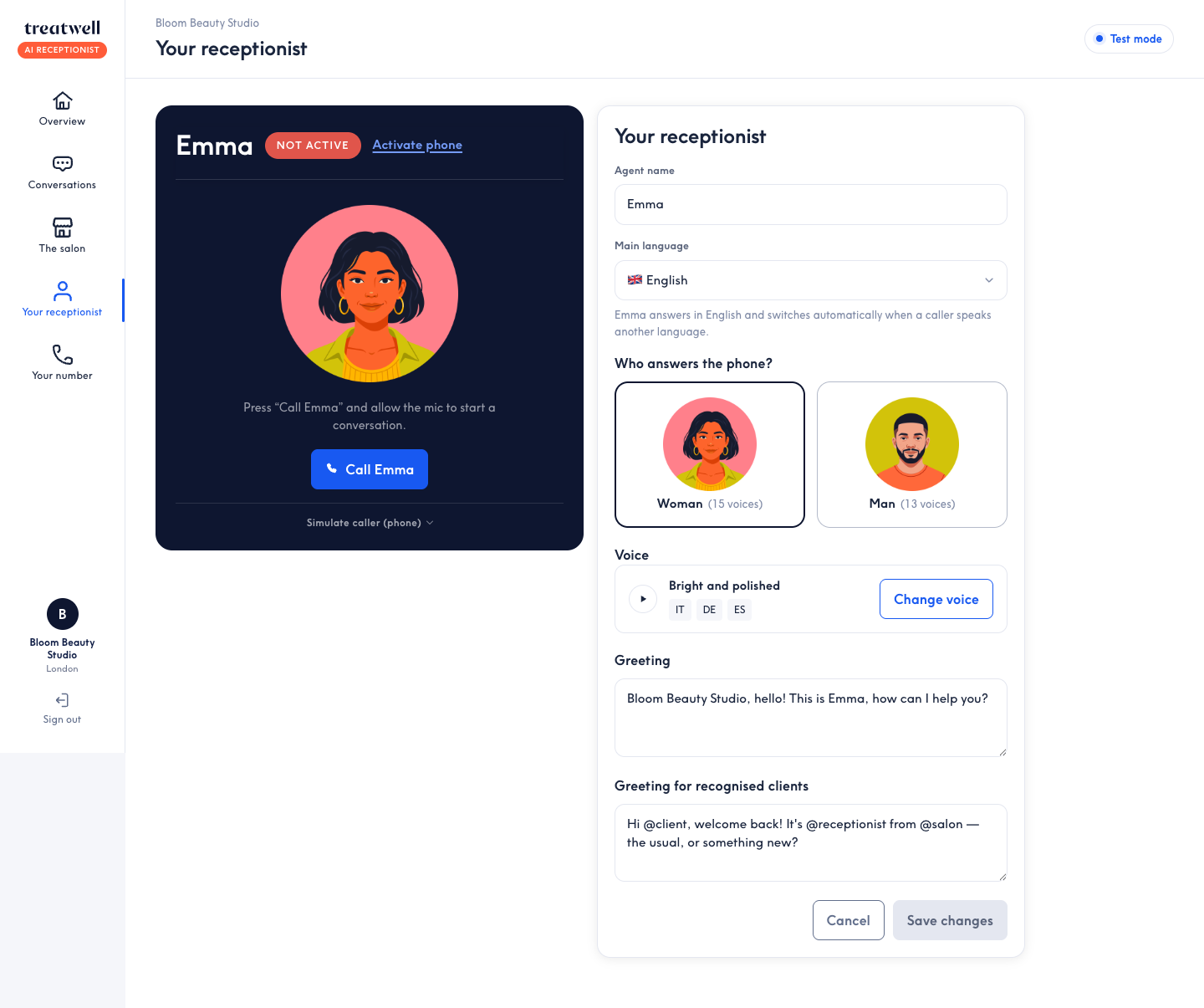
The “Your receptionist” page: name, language, voice and greeting.
Agent name — the name the receptionist introduces itself with on every call.
Main language — the default language; it also automatically recognises the caller's language and answers accordingly.
Choose a voice
Open the voice picker to see every option available:
Voices are grouped: native in the chosen language, multilingual (with a light English accent), and other languages.
You can search by name or filter by language.
Every voice has a preview button: press it to hear it read your current greeting out loud, before you choose.
💡
Take a moment to listen to a couple of different voices — it's the first thing your clients hear, so it's worth finding the right one.
Write the greeting
Greeting for first-time callers — the first line for a new contact (e.g. "Bloom Beauty Studio, hello! This is Emma, how can I help you?").
Greeting for returning customers (optional) — used when the number matches a client already in the system (e.g. "Hi @client, welcome back! It's @receptionist — the usual, or something new?"). Leave it blank and the greeting for new clients is always used instead.
You can use @client, @receptionist and @salon in the text: they're automatically replaced with the client's, the receptionist's and the salon's name.
Try it live
Before saving, you can talk to the receptionist directly in the browser, no phone needed:
Press "Talk to the agent" and allow microphone access.
You'll hear the language, voice and greeting exactly as you've just set them — even before saving your changes.
You can also simulate a call from an existing client by entering their phone number, to hear how the personalised greeting sounds.
Save your changes
Once you're happy with it, click "Save changes". The new settings apply straight away, from the next call onward.
If you ever need help, get in touch with your Treatwell contact.
Was this article helpful?