
At Treatwell, we’re always looking for ways to make running your business easier. Tap to Pay in the Treatwell Connect app lets you accept secure, contactless payments on your phone – no extra hardware or complex setup. Just fast, simple payments.
What is Treatwell Tap to Pay?
Tap to Pay lets you process contactless payments using NFC straight from the Treatwell Connect app. Customers tap a contactless card, Apple Pay, or Google Pay on your phone to pay.
What are the benefits of Treatwell Tap to Pay?
No extra hardware: Use Tap to Pay on your iPhone or Android during checkout—no payment terminal needed.
Faster checkout anywhere: Get paid in seconds with a quick, convenient flow.
Transparent, competitive pricing: You pay a small percentage per transaction (excl. VAT). No hidden costs. Check your country’s rate:
Flexible payout timing: Money lands in your account depending on your invoice payment settings (daily, weekly, bi-weekly).
Secure by Stripe: Safe, encrypted payments via our partner, Stripe.
How can I get started with Treatwell Tap to Pay on an Android?
Setup steps:
Update/install the app: Get the latest Treatwell Connect (4.350.0) from the App Store or Google Play.
Check your device: Android 9 or above.
Enable NFC:
Go to Settings > search NFC > Enable.
NFC enables secure contactless communication with cards and wallets.
Enable location access for Treatwell Connect to use Tap to Pay effectively.
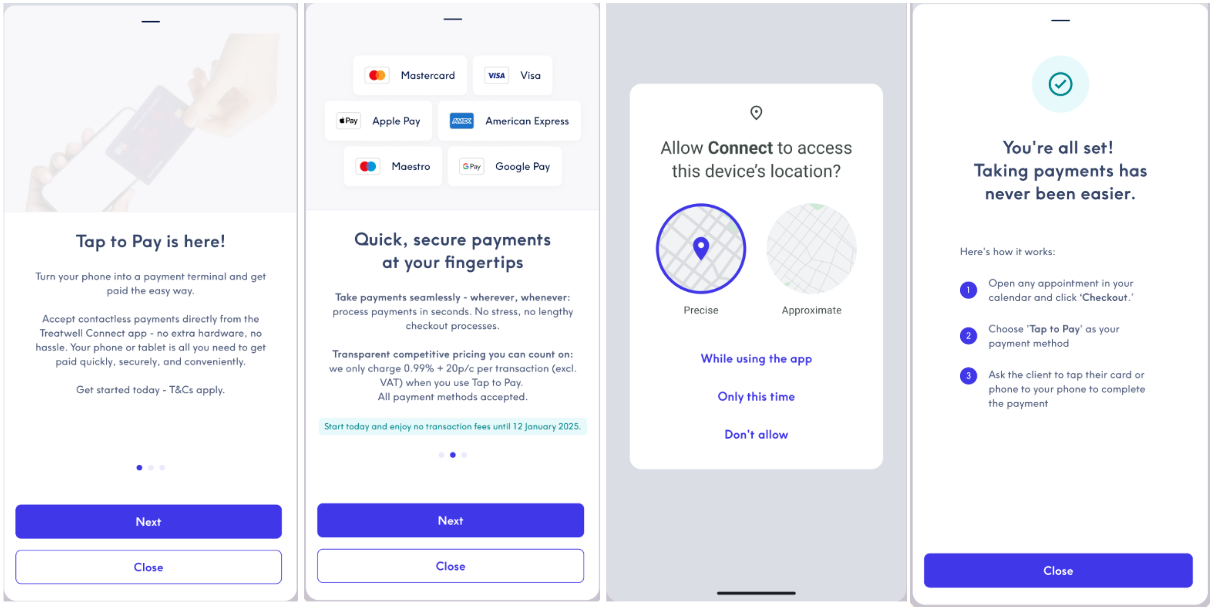
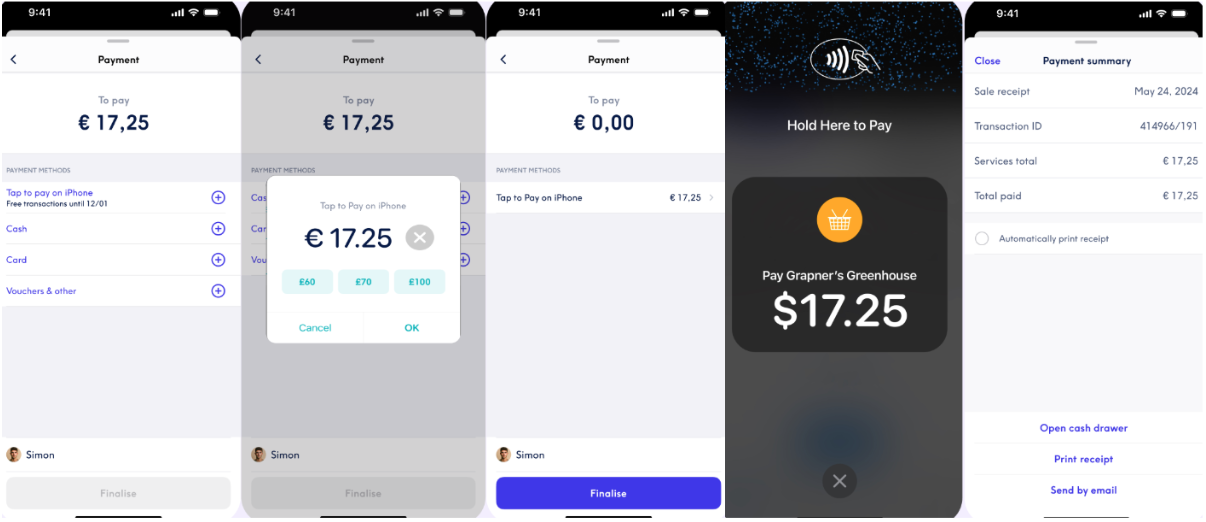
Start taking payments:
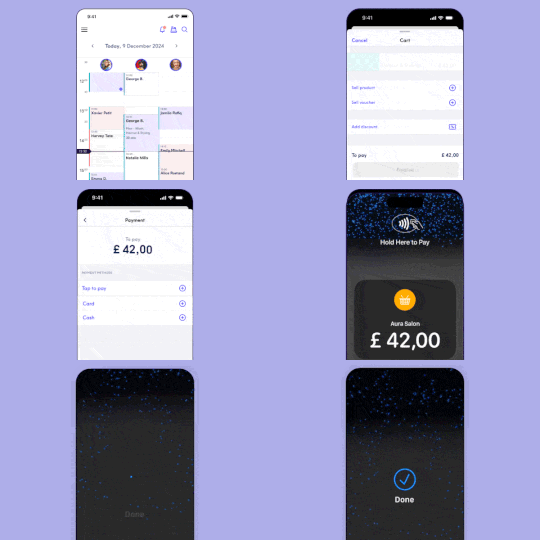
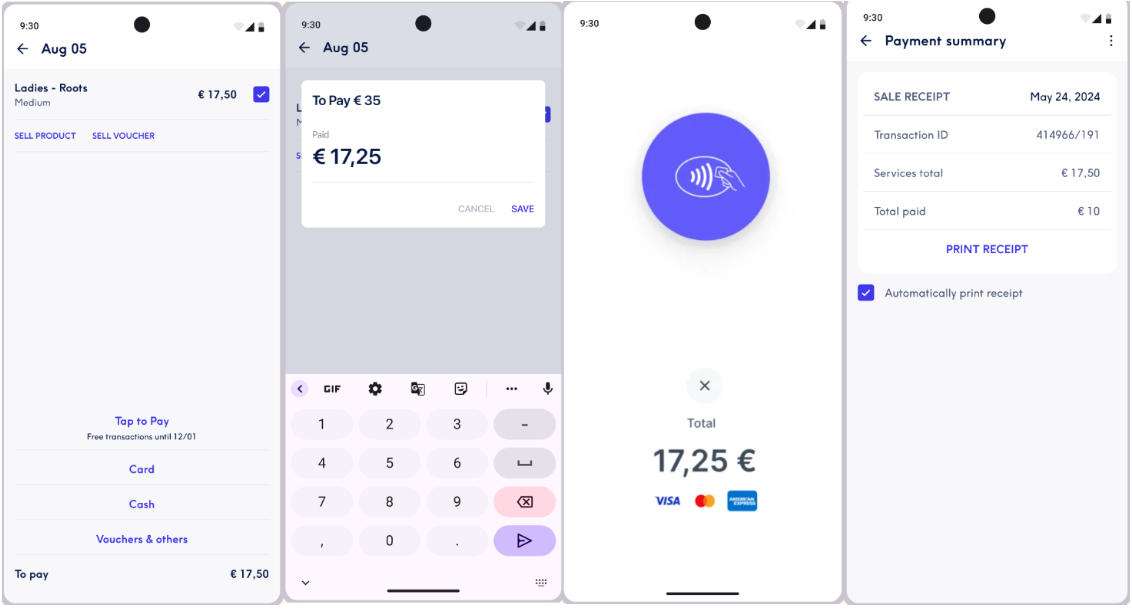
Open Treatwell Connect.
Select an appointment and tap Go to payment (supports Treatwell bookings, direct bookings, walk-ins).
Ask the client to hold their card or device near your phone. Done!
How can I get started with Treatwell Tap to Pay on an iPhone?
Setup steps:
Update/install the app: Get the latest version of Treatwell Connect from the App Store or Google Play.
Check your device: iPhone XS or newer on iOS 18 or higher.
Enable location access for Treatwell Connect.
Follow on-screen steps: After allowing location, continue by connecting your Apple ID to proceed with Tap to Pay on iPhone.
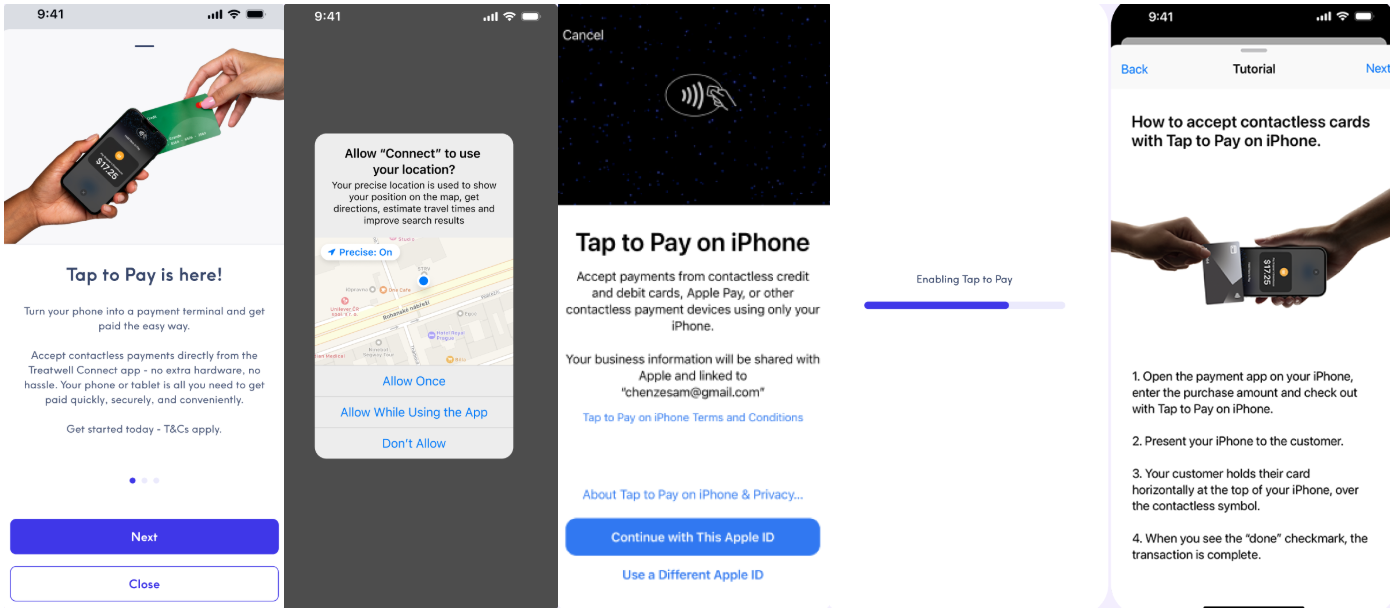
Start taking payments:
Open Treatwell Connect.
Select an appointment and tap Go to payment (Treatwell bookings, direct bookings, walk-ins supported).
Ask the client to hold their card or device near your phone. Done!
Which devices support Tap to Pay?
iPhone: iPhone XS or newer, iOS 18 or later.
Android: NFC-enabled devices on Android 9 or higher.
Tablets: Android tablets are supported if they have NFC and a compatible OS. iPads are not supported.
Are there any extra fees for using Tap to Pay?
There are no hidden or recurring fees for Tap to Pay. You only pay the standard transaction fee for each successful payment processed in the app. Check your country’s rate:
What are the accepted payment methods?
Cards: Mastercard, Visa, Discover, American Express (AMEX), Maestro, Girocard, Eftpos, Interac, China Union Pay, JCB.
Digital Wallets: Apple Pay, Google Pay.
Is tipping supported in Treatwell Tap to Pay?
The tipping feature is not yet available in Tap to Pay. If you want to accept tips, you can use the following workaround:
Create a 'Tip' product: Add a product named 'Tip' for €X with 0% tax. This will show as 'Tips' in your product reports.
Add the tip product to the cart: Include the tip product alongside the treatment at checkout.
Process the payment: Complete the transaction as usual.
Was this article helpful?