
We know that sometimes life can get in the way, and your appointment just can't go ahead. If you can't reschedule and need to cancel and request a refund, just follow these simple steps.
Remember to check your booking’s cancellation policy beforehand. That’s what dictates if you’ll be refunded or not.
How can I cancel my booking on the app?
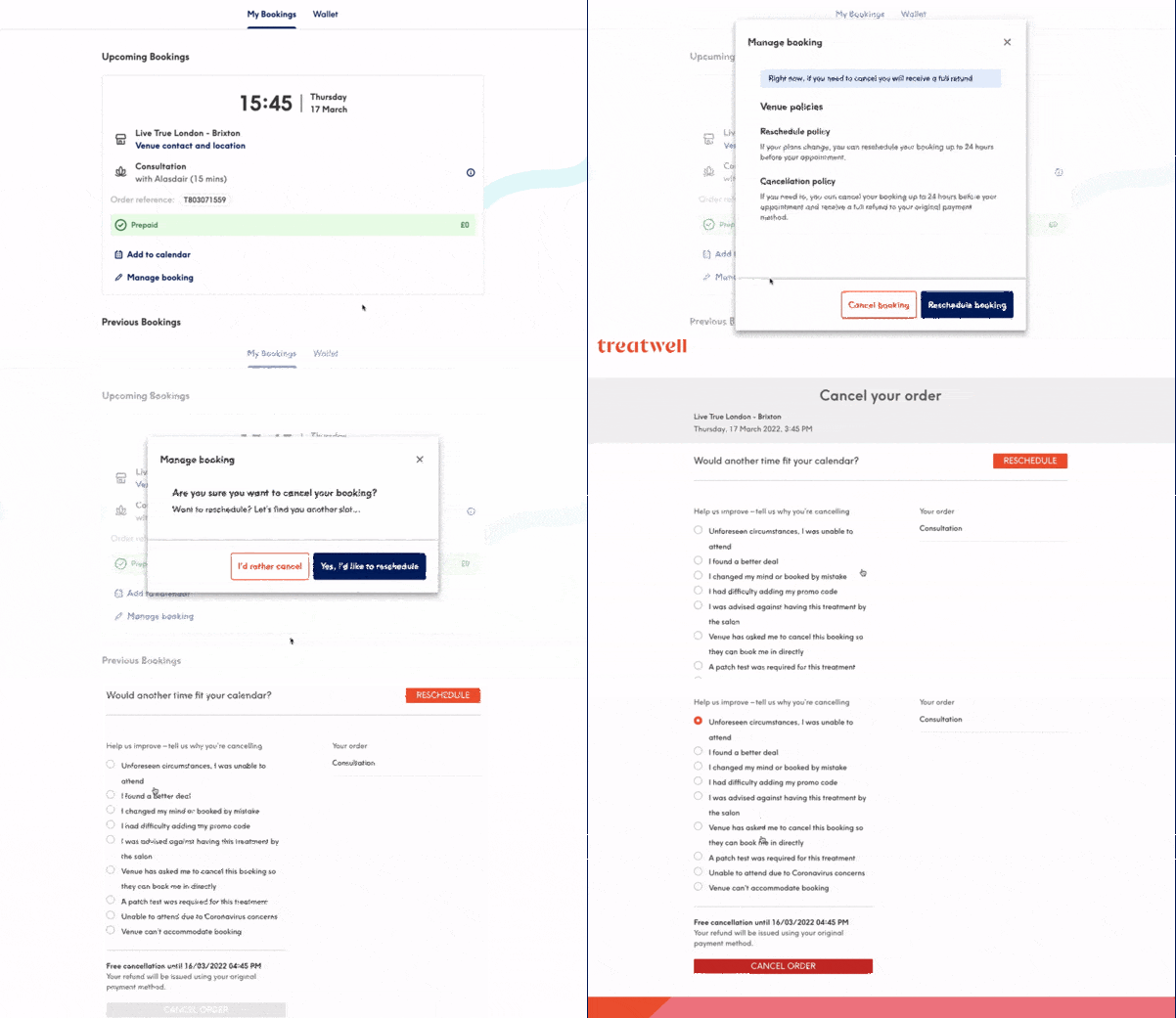
Your upcoming booking should be present on the home screen when you open the app - if not, click on 'My Bookings' on the lower part of the screen. From here, click on 'Manage booking', then ‘Manage booking’ again. When you select 'Cancel booking' you'll be shown your cancellation policy and also asked to add a cancellation reason. Once you've selected the reason, your appointment will be cancelled.
How can I cancel my booking on the web?
In your account or confirmation email look for 'Cancel booking', select your cancellation reason and simply click 'Cancel booking'.
Can I reinstate a cancelled appointment?
Just remember that cancellations can’t be reversed, in case you change your mind, you will need to create a new booking.
How can I cancel/reschedule my booking as a guest?
If you booked as a guest, your booking won’t show up in your Treatwell account. There is nothing to worry about. Just check your email for your booking confirmation. From there, you can cancel or reschedule directly using the links in the email.
Was this article helpful?